Android Setup Instructions
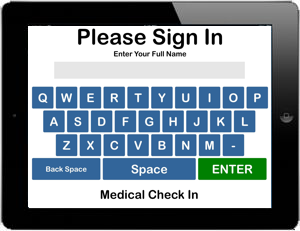
Medical Check In is designed to be easy and fast. Setup is just as easy with no technical experience needed.
Download the App to your tablet

From your tablet, Click this icon
Or try this method;
- From the tablet, Open the Google Play Store
- At the top look for the Search box and enter "Medical Check In"
- Install the Medical Check In App from Check In systems
Connect the App
After installation, you will need to conect the app to your subscription
- Run the Medical Check In app
- At the first screen, type CONFIG and enter
- Insert your System ID and Password
- This process will syncronize your iPad with the online configuration
Setting Questions
The easiest way to set the questions and reasons for visit is from your online configuration. Log in to the back end and go to Configuration. Scroll to the questions and set which questions you would like to ask and save. Next, click on Reasons for Visit and fill in the blanks and save. After you have set your questions and reasons in the server side, the iPad will need to download the configuration. Go to the iPad and type UPDATE at the first screen. It will only make a ding sound signifying it has downloaded the configuration.That's it! Medical Check In is so easy, you should be running in about 15-20 minutes. If you have any trouble, please call us and we are more than happy to help. Your subscription includes unlimited support.
Enable Guided Access
Guided Access allows you to secure the home button and restrict access to any other program including the notifications area.- Launch the Settings app on your iPad.
- Tap on Accessibility.
- Tap on Guided Access under the General section.
- Toggle Guided Access On.
- Tap on Display Auto-Lock and tap never
- Tap on Passcode Settings and tap set guided access code (choose one you will remember)
- Open the Medical Check In App
- Triple Tap the Home Button
Be sure not to lose your passcode. Only Apple can recover this